
The Aware Portal Settings section is used to manage the Aware Portal module, publishing rights, and approval workflow.
Note: Depending on your state, Aware Portal Settings will be labeled with the applicable state abbreviation (e.g., AwareCA Portal Settings).
This section is primarily intended for system administrators or users with portal configuration permissions. Access to this section and available actions depend on user role, permissions, and agency configuration.
Aware Portal Settings Screen
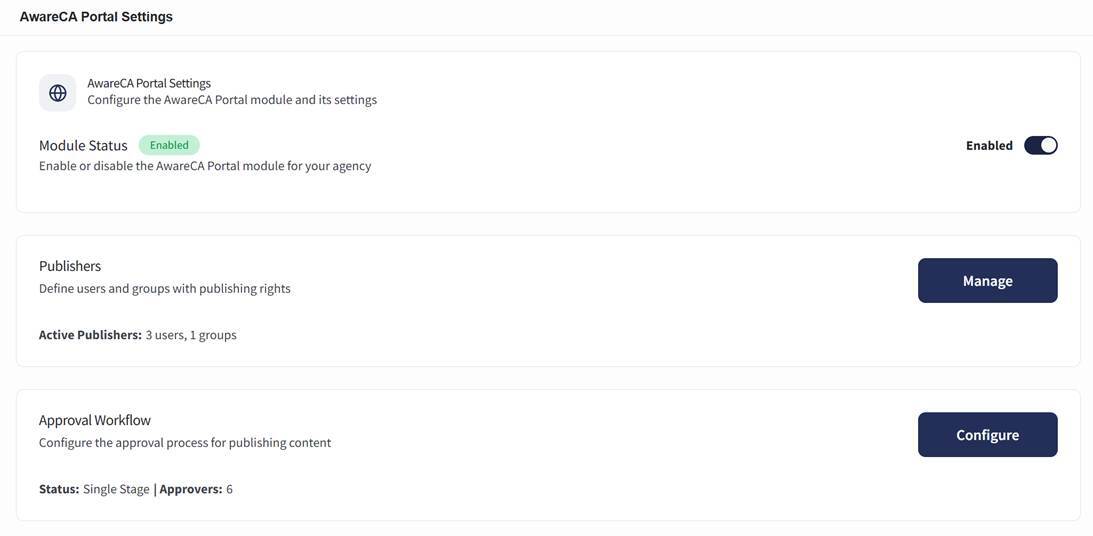
The Aware Portal Settings screen can be accessed by selecting Settings, then choosing Aware Portal Settings under System Configuration.
The Aware Portal Settings screen includes:
- Module Status
- Publishers
- Approval Workflow
Module Status
The Module Status section controls whether the Aware Portal module is enabled for the agency.
The screen displays the current module status, such as Enabled, and includes an enabled/disabled toggle.
To enable or disable the Aware Portal module:
- Open Aware Portal Settings.
- Locate the Module Status section.
- Use the toggle to enable or disable the module.